Key takeaways
- Powerwall 3 can be set to 5.8, 7.6, 10 or 11.5 kW. The setting determines the breaker: 30 A, 40 A, 60 A and 60 A respectively, or 80 A for the 15.4 kW off-grid rating.
- Because the battery backfeeds your panel, the design has to pass NEC 705.12 (the 120% busbar rule) or use a Power Control System under NEC 705.13.
- Backup is handled by a Tesla Gateway 3 (inside the electrical system, up to 200 A) or a Backup Switch (at a compatible Form 2S meter socket, with utility and inspector acceptance).
- Each Powerwall 3 has a built-in inverter with 6 MPPTs and up to 20 kW DC of solar input; every PV string needs a Tesla Mid-Circuit Interrupter (MCI).
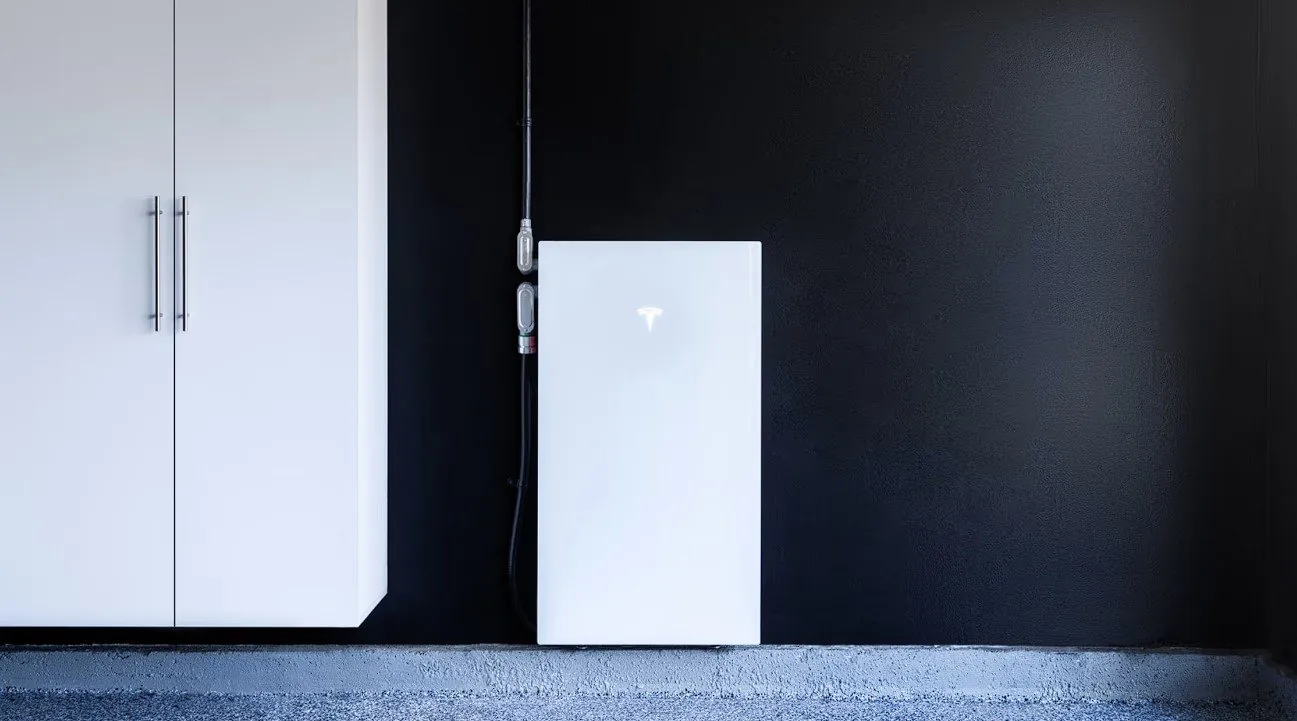
- Powerwall can't go in a habitable room. Typical locations are garages and exterior walls; the unit is NEMA 3R, IP67 for the battery and electronics, and weighs 291 lb installed.
What a Powerwall 3 system is made of
A Powerwall 3 installation has three parts that have to be designed together: the battery (13.5 kWh, with a built-in solar inverter), the islanding device that disconnects your home from the grid during an outage, and the interconnection into your electrical panel. Up to four Powerwall 3 units and three Expansion units can be combined in one system. A grid connection is required; Tesla doesn't support fully off-grid Powerwall 3 systems.
Output setting and breaker size
The installer sets each Powerwall 3's continuous output during commissioning. The setting decides the breaker and conductor size:
| AC output | Max continuous current | Breaker |
|---|---|---|
| 5.8 kW | 24 A | 30 A |
| 7.6 kW | 31.7 A | 40 A |
| 10 kW | 41.7 A | 60 A |
| 11.5 kW (default) | 48 A | 60 A |
| 11.5 kW on-grid / 15.4 kW off-grid | 48 A / 64 A | 80 A, with conductors sized to match and enough solar |
A lower setting is a legitimate design tool. It reduces backfeed into your panel and can avoid a service upgrade, in exchange for less simultaneous power during an outage.
The 120% busbar rule (NEC 705.12)
A battery inverter pushes current into your panel's busbar from a second direction. To protect the bus, the electrical code limits how much can be added. Under the common method, the main breaker plus the inverter breaker can't exceed 120% of the busbar rating, and the inverter breaker must sit at the opposite end of the bus from the main.
Example: a 200 A panel with a 200 A main allows 240 A in total. A 60 A Powerwall breaker makes 260 A, which fails. The usual fixes:
- Lower the Powerwall output to 7.6 kW (40 A breaker): 200 + 40 = 240 A, which passes.
- Derate the main breaker to 175 A, if the load calculation supports it.
- Connect through the Gateway 3 or a separate backup panel so the battery doesn't land on the main bus.
- Use a Power Control System (NEC 705.13), where software limits backfeed so the 120% calculation doesn't apply.
Existing solar and any Tesla EV charger on backed-up circuits count as generation sources in the same calculation.
Gateway 3 or Backup Switch?
| Tesla Gateway 3 | Tesla Backup Switch | |
|---|---|---|
| Where it goes | In the electrical system, with its own service-entrance-rated main breaker (100–200 A) | Behind the utility meter, in a compatible single-phase Form 2S meter socket (CL100 or CL200) |
| Service size | 200 A service or less, or up to 200 A of downstream load; multiple Gateways for larger services | 200 A main breaker or less |
| Extra panel space | 8 spaces / 16 circuits, branch breakers up to 125 A | None |
| Approvals | Standard permit and inspection | The utility and the local inspector must both accept it |
Line-side taps for the Gateway are never allowed (NEC 230.82). The Gateway can intercept the service feeders instead, and its main breaker then becomes the service disconnect.
Whole-home or partial-home backup
Powerwall 3 supports both. With whole-home backup, everything stays on during an outage, so the design has to make sure the total Powerwall output can start and run your largest automatic loads, such as an A/C compressor or a well pump. One Powerwall 3 can start loads up to 185 locked-rotor amps. With partial-home backup, selected circuits move to a backup load panel, which keeps big loads like ranges and pool pumps from draining the battery. See How many Powerwalls do I need?
Solar inputs and rapid shutdown
- Six MPPT inputs, up to 20 kW DC of solar per Powerwall 3, with 15 A maximum operating current per MPPT.
- Every PV string requires a Tesla Mid-Circuit Interrupter (MCI), even where rapid shutdown rules wouldn't otherwise apply.
- Third-party optimizers can't be wired to Powerwall 3. Existing systems with optimizers or microinverters stay on their own inverters and are AC-coupled. See Adding Powerwall 3 to existing solar.
Mounting and location
- Not allowed in habitable rooms. Garages and exterior walls are the usual choice.
- 43.5 × 24 × 7.6 in and 291 lb installed: it needs solid framing or floor mounting, and room for the required clearances.
- Operating range −4°F to 122°F; output may be derated above 104°F. In inland San Diego County, a shaded wall beats a west-facing one in full sun.
- Enclosure NEMA 3R, IP67 for battery and power electronics, IP55 for the wiring compartment.
Install day and commissioning
- Permit and SDG&E interconnection application are filed before the work.
- Mount and wire the Powerwall, the Gateway or Backup Switch, and any backup load panel. Most homes take one to two days on site.
- Commission in Tesla's installer app: output setting, backup reserve, time-of-use settings, solar and site metering, and an outage test.
- Inspection by the city or county, then permission to operate from SDG&E.
Looking for a price?
Every installation depends on your panel, wiring route and equipment choices, so we don't publish prices. A licensed C-10 electrician will look at your home and give you a written estimate.
Request a Powerwall 3 estimate →Common questions